At the Hadrian Hotel

At the Hadrian Hotel

Monday, October 30, 2006

Reagan Had It Right

Tonight, while driving home from work, I heard a story on NPR about a new two-volume anthology of American Speeches. The first volume covers "Public Oratory from the Revolution to the Civil War" and the second "from Abraham Lincoln to Bill Clinton." In the story, they played audio from a speech given by Ronald Reagan (then a Democrat) entitled "A Time for Choosing." It was given on October 27, 1964 in support of Barry Goldwater (a Republican).

Although the speech was given over 40 years ago, the portion that NPR played for their story was extremely relevant today:

You and I are told increasingly we have to choose between a left or right. Well I'd like to suggest there is no such thing as a left or right. There's only an up or down -- [up] man's old -- old-aged dream, the ultimate in individual freedom consistent with law and order, or down to the ant heap of totalitarianism. And regardless of their sincerity, their humanitarian motives, those who would trade our freedom for security have embarked on this downward course.


That last line is the one that got me. I was only 5 years old when Reagan gave that speech, so I wasn't paying too much attention to politics or the state of the nation at the time. I'm a bit older now, and I am paying attention. I think that anybody who is paying attention will realize that, at least with the statements quoted above, Reagan had it right.


Technorati Tags: , ,

Friday, October 13, 2006

"Man of the Year" - Art Imitates Life

SPOILER WARNING!!! -- Plot element revealed

Tonight, my family went to see the new Robin Williams movie, "Man of the Year." As some of you may know, an electronic voting machine company plays a major role in the plot of the movie. The Delacroy corporation has won the contract to provide electronic voting machines nation-wide. A few weeks before the presidential election, one of the Delacroy programmers decides to run tests on the system software, and discovers that every time she runs a test the same candidate always wins, no matter how many votes she enters for the other candidate. This plays a pivotal role in Williams' character being elected president.

The problem that the programmer discovers in the Delacroy machine immediately brought to mind the problem that was discovered by Ed Felten, Ari Feldman and Alex Halderman. You can read more about Ed's research in his blog. It almost makes you wonder if the writers might have been involved in the research as well. :-)

As for the rest of the movie, my family found it to be quite entertaining. If you like Robin Williams' style of comedy (you know, off-the-wall-stream-of-conciousness), you'll probably enjoy this movie. There was quite a bit of out-loud laughter coming from the audience. So, if you want to laugh and worry about our next election at the same time, I highly recommend this movie.


Technorati Tags: , , ,

Sunday, October 08, 2006

Simply del.icio.us

This was originally sent in an EMail message to my seventh grader's teachers...

By now, I'm sure that you've all used Google to search for various bits of information on the Internet. I expect that you've found a few interesting tidbits as well. So, once you've found something, what do you do? Do you add it to your browser Favorites or Bookmarks? What if you found it at home but need it at school? What about the reverse situation? Wouldn't it be nice to be able to get to all of your bookmarks from anywhere? Well, you can. All you need is an account on del.icio.us and you're good to go. First, point your browser at http://del.icio.us/ and then click on the "get started" link near the top of the page. Once you have your account set up, click on the "login" link (if you're not automagically logged in after verifying your account) and the the "help" link in the upper right corner.

Now you can start saving your bookmarks in one place, and get to them from any place. There is one very important thing to note, however. Don't put anything sensitive or personal in del.icio.us. There is no privacy on del.icio.us, but as you'll see in a moment, that's the beauty of it.

So, now there are lots and lots of people saving bookmarks to del.icio.us. However, they're not just saving their bookmarks, they are tagging them with one or more single word tags. These tags make it possible for anybody to use del.icio.us to find bookmarks for sites on any variety of topics. This goes Google one better because you're not just looking up sites based on words on the page. You're finding sites that people have seen and determined to be related to a given topic. Of course, not everyone will agree that a given site is relevant to a particular topic, but odds are pretty good that you'll find something good. The question I hear you asking now is, "So, how can I do this?" It's actually pretty simple...

Let's say that you want to find all of the bookmarks that everybody has tagged with the word "education." Just surf on over to this URL:

http://del.icio.us/tag/education

This should return a page with a number of bookmarks along with a link to more pages of the same (you can see the bookmarks I tagged with education by going to http://del.icio.us/cjtengi/education or http://del.icio.us/cjtengi/teaching). If you want to find bookmarks tagged with more than one tag, such as education and geography, use this URL:

http://del.icio.us/tag/education+geography


By using a simple "+" character, it is possible to string together any number of tags. "Cool!" I hear you say. "But what if I want to be updated when somebody tags something new?" That's actually pretty easy if you use an RSS reader. Just build a URL like the ones above with one simple change - put "rss/" in front of the word "tag," like this:

http://del.icio.us/rss/tag/education

and subscribe to it in your RSS reader. Then, whenever there is a new bookmark tagged with "education" you'll get a message in your RSS reader. Of course, you can string together tags for the RSS feed the same way that we did with the multi-tag URL above. Pretty neat, isn't it? Oh, by the way, you don't need a del.icio.us account to search it or get a feed, only to save your own bookmarks there.

Another interesting, and potentially useful, phenomenon on the Internet is the proliferation of blogs (weB LOGS). There's quite a number of people out there writing about all manner of topics. Some of what's out there might be useless drivel, but there's a whole lot of useful information out there as well. However, Google is not always well suited to searching for information in the blogosphere. For that we have Technorati - a blog-specific search engine.

With Technorati, you can search blogs in 3 different ways. You can search for any word that appears in a blog post, just like Google can be used to search for words in web pages. It is also possible for blog writers to tag their posts with keywords, just like the people who tag del.icio.us bookmarks can. Technorati allows you to search these tags as well. To give it a try, go to:

http://technorati.com/

and have a look around. Note that not every blog on the Internet is listed in Technorati - the blog owner needs to register his blog in order for it to be searchable. When a blog is registered, the owner can specify tags that generally apply to the blog. The third type of search allows you to search for these tags in Technorati's blog directory. If you search for the right things, you should be able to find this blog or one that belongs to Ed Felten, a Princeton Computer Science professor (http://freedom-to-tinker.com/). I've always found Ed's blog to be quite interesting, and if you are at all interested in Information Technology policy, you might like it too....

Technorati Tags: , , ,

Friday, September 22, 2006

On the Cover of the "Rolling Stone"

Robert F. Kennedy, Jr. has written an article for the October 5th, 2006 issue of "Rolling Stone" magazine, entitled "Will The Next Election Be Hacked?" In the article, he tells the story of Chris Hood, a former Diebold consultant who, along with other Diebold workers, installed a last minute patch before the 2002 election in Georgia. Here's an interesting quote:
Then, one muggy day in mid-August, Hood was surprised to see the president of Diebold's election unit, Bob Urosevich, arrive in Georgia from his headquarters in Texas. With the primaries looming, Urosevich was personally distributing a "patch," a little piece of software designed to correct glitches in the computer program. "We were told that it was intended to fix the clock in the system, which it didn't do," Hood says. "The curious thing is the very swift, covert way this was done."
While Hood's story is the most detailed account of problems with electronic voting machines, there is some scary stuff about machines from the other 3 voting machine vendors and the companies' political ties. RFK, Jr.'s article puts together a number of frightening pieces to the current puzzle that is electronic voting in the United States. The only "good" thing I saw in the whole article was a reference to Ed Felten's recent work:
In a study released on September 13th, computer scientists at Princeton University created vote-stealing software that can be injected into a Diebold machine in as little as a minute, obscuring all evidence of its presence. They also created a virus that can "infect" other units in a voting system, committing "widespread fraud" from a single machine. Within sixty seconds, a lone hacker can own an election.
You can read more about Felten's work on this as well as other interesting stuff on electronic voting in his Freedom To Tinker blog.

In my opinion, the "Rolling Stone" article brings to light a number of things that every US citizen should be concerned about. Unfortunately, I feel that the reality of the situation is that only people with certain political leanings will take the article to heart. The rest of the nation won't be concerned until somebody from the "other side of the aisle" either writes a similar article or starts pushing legislation to fix this mess.

Technorati Tags: , , ,

Wednesday, September 13, 2006

Security Analysis of the Diebold AccuVote-TS Voting Machine

Ed Felten (author of the Freedom To Tinker blog, among other things) has released an analysis of the Diebold AccuVote-TS voting machine. Here's a short quote from the abstract:

This paper presents a fully independent security study of a Diebold AccuVote-TS voting machine, including its hardware and software. We obtained the machine from a private party. Analysis of the machine, in light of real election procedures, shows that it is vulnerable to extremely serious attacks.

UPDATE: I thought it might be nice to tell Rush Holt, my congressional representative, about this, just in case he doesn't get the Freedom To Tinker RSS feed. :-) I found the timing interesting when I saw that yesterday he had released a statement about the Maryland and D. C. elections. Don't they use Diebold machines?

Technorati Tags: , , ,

Monday, September 11, 2006

Weather on Your Calendar

My office-mate just turned me on to something that I find has been available at least since June 2006 (from what I've seen in a few blog posts).

If you've ever wanted to know what the weather was going to be like when you were scheduling an event, it's actually very easy. Just go to the Weather Underground page and enter your ZIP code, Airport code, or some other such identifying information in the search box in the upper-left corner of the page and hit ENTER. On the right side of the page, across from the locality name, is a button labelled "ICS." Copy the link location for that button, and use it as the URL for a remote calendar.

If you are using iCal, go to Calendar->Subscribe... in the menu bar and paste in the URL in the dialog box that pops up. If you are using Google Calendar, go to "Manage Calendars" and select "Add calendar" in the Other Calendars section. Select "Public Calendar Address," paste the URL into the box, and click on "Add."

As an example, here is the URL I got from the Weather Underground for Pennington, NJ:

http://ical.wunderground.com/auto/ical/NJ/Pennington.ics?units=both

This worked just fine for me in iCal but, unfortunately, when I tried it in Google Calendar, Google was unable to import the calendar info. Sigh.... Of course, YMMV!


Technorati Tags: , ,

Tuesday, September 05, 2006

Geocaching: First Time Out

Yesterday, Randee, Mark, and I tried our hands at geocaching. We set up an account at geocaching.com and then did a search for caches in our area. Surprisingly, we found quite a few, 4 of which were in fairly easy walking distance. We chose one in the center of town, put the leash on the dog, grabbed the GPS and headed off. The particular cache we were headed for was "The Redcoats Were Here, The Redcoats Were Here!!" This multi-cache required us to first find a plaque and then use information from the plaque to derive the location of the actual cache.

It took us about 10 minutes to walk from our house to the plaque. As instructed, we did a little math and figured out where we needed to go next. We went there and started nosing around where we knew the cache had to be. It turns out the we all pretty much looked right at it a few times without actually seeing it. Finally, Mark found the cache (a small brown bottle) and we opened it up to take a look at the log inside. There was a list of dates and names, most of which we didn't recognize. However, Mark recognized the names of a few of his school-mates, which was pretty cool. We added the date and our name to the log and put the cache back in its hiding place.

After our success with the first cache, Mark and I decided to try finding a second cache in town. Unfortunately, we weren't quite as successful with this one. After we got home, I realized that the name, "Base-ic Instinct" was the clue we actually needed to find the cache. Mark wanted to go out today to find it, but it rained all day, so we're hoping to give it a go tomorrow....


Technorati Tags: ,

Friday, June 23, 2006

3, 2, 1, Liftoff!


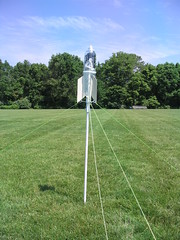
My son Mark and I recently built a water-powered rocket from plans in volume 5 of Make Magazine. We had fun building it, and Mark thought it would be a great idea to share it with rest of the kids on his 6th grade team at the Timberlane Middle School. He spoke to his science teacher and it was decided that we'd set up for a launch at the end of the day on the last day of school.

I set up the launch stand in the middle of a couple of soccer fields behind the school, leaving plenty of room in case the wind decided to take the rocket for a ride. Once the kids got out to the field, I spent a little time explaining how we built the rocket and how it worked. Then it was time to put some water in the bottle, pump it up to pressure, and see how far it would fly.

The launch and recovery were beautiful, despite the fact that the rocket lost 2 of its 3 fins (that's what we get for using 1/16" balsa wood instead of 1/8")! Fortunately, we had built a second lower (engine) stage using thicker wood for the fins. Based on the launch of that bottle, I suspect that we'll be able to use it for many flights to come.

My thanks to Mark's science teacher, Mrs. Martin-Kochis, and the rest of the teachers on the Mercury team for allowing us to bring the rocket in to demonstrate. I think that I had as much fun as the kids did. If you'd like to see a video of the first flight, you can check it out on Google Video.


Technorati Tags: , , ,

Friday, June 02, 2006

Let Me Check My Calendar

I need a calendar. Actually, I have a calendar, and I really do need it. My personal choice for a calendar is my Palm Tungsten E2. I do my best to keep all of my appointments on it, as well as those of my family. I really like the UI, and being able to have my calendar in my pocket has been extremely useful. Having an alarm go off before I need to be somewhere is also a good thing - I'm just not the kind of person who will remember to check my appointments on paper (or even online).

A Palm device is not the calendar for everyone. Some people use wall calendars, some use pocket date books. Many people use Microsoft Outlook (with or without a mobile unit such as a Blackberry). A sysadmin I know has decided to go for a personal analog assistant to deal with his schedule.

One of the new kids on the block is the Google Calendar. This is the one that my wife has recently switched to, and I'm hoping that it will (eventually) help me keep my Tungsten much more up-to-date. Google Calendar can provide an iCalendar file to applications such as Mozilla Sunbird or Apple's iCal. In fact, it is this feature that I've just started using to keep my calendar current.

My wife has created and shared a number of calendars amongst all of our family's GMail accounts, and I have subscribed to a few of them from iCal on my Apple PowerBook. I then sync iCal with my Palm Tungsten using Missing Sync from mark/space (I like it much more than Palm's original hotsync implementation). This program uses the calendar name in iCal to set a calendar category on the Palm. This makes things much more colorful (and useful!).

Once I had my family's calendars in my pocket, I needed to do something about keeping track of all the various Boy Scout meetings and events that my boys and I attend. In fact, my intention was to set up a calendar that the entire Troop could use. The choice I made was to set up the Cosmo calendar server from the Open Software Application Foundation.

Cosmo is written in Java and seems to be pretty useful for a 0.3 release. Users create accounts on the server through a web page and can then publish calendars to their directory on the server. For each calendar you publish, you can create one or more tickets that can be used by others to subscribe to your calendars. Tickets can be read-only or read-write, and can last anywhere from seconds to forever. Once they add the ability to put comments on a ticket (like why you added it in the first place), I think they'll provide an extremely flexible way to manage calendar access by others.

So, today I can download my family's calendars to my Palm Tungsten from Google Calendar as well as publish my own calendars from the Palm using Cosmo. I'm guessing that Google is heading in the direction of allowing users to publish calendars remotely using their private URL scheme. Once that's in place, I'll be able to check, and update, all my calendars from the Palm of my hand.


Technorati Tags: , , , ,

Thursday, April 06, 2006

Springtime in Princeton


Springtime in Princeton
Originally uploaded by Chris Tengi.
The weather in Princeton was lovely yesterday, wouldn't you agree?

Wednesday, March 15, 2006

ETech: Final Notes to Myself

The theme for this year's ETech was "The Attention Economy." The amount of information available to people on the Internet today can be completely overwhelming. We need to divide our attention economically so that everything we need to (or want to) know about can be processed. A number of projects, products, and tools were presented to assist someone who is trying to deal with today's info-glut. There were also a number of talks discussing how we tend to focus or divide our attention, and what we might do better. Below are some notes to myself about what I saw, so that when I inevitably do forget, I'll have a place to look up this stuff.

Monday:
I attended a tutorial called "Scaling Fast and Cheap - How We Built Flickr" given by Cal Henderson. Flickr started out as part of an online game to be called "Game Neverending" (GNE), being developed by Ludicorp in Vancouver. It was originally implemented in Flash, which prevented it from scaling very far. I tried out the Flash version at ETech 04 and found it to be interesting but a bit slow. The current implementation seems fast enough to me and obviously scales, as there are over 2 million users and over 100 million pictures in Flickr today.

Cal covered quite a bit of ground over the course of the day.... Flickr was originally implemented using commodity (white box) hardware. They originally tried customizing the kernel and various other bits of software but found that the extra work involved was not justified by the small performance gains achieved. Cal had a great quote from Donald Knuth: "We should forget about small efficiencies, about 97% of the time." Here's a very small sample of the stuff we learned in the tutorial, some of which seemed like common sense but much of which could only be learned through experience:

Make sure you have enough rack space. Make sure you have enough power and networking in each rack. When you buy spares, ensure that you get identical spares for things such as disks, and not just equivalent sizes. This can be crucial when you need to replace a disk in a RAID set. If you must use a data center on the 24th floor, make sure that any equipment you buy (such as additional UPS systems to increase capacity) can actually fit in the elevator. Otherwise it might take a while to disassemble, move, and reassemble the equipment. Have as much redundancy as you can afford (hot spares, cold spares, spare disks, spare network gear, etc). 100M ethernet is probably fast enough for most applications. Software architecture is like a trifle (an English trifle, not a Canadian trifle). The 3 rules of enterprise system development: use source control; have a one step build; use a bug tracker. Filtering (X)HTML input in order to prevent cross-site-scripting attacks can be a royal pain. There are so many ways an attacker can format (eg random white-space or newlines between "java" and "script" in the word "javascript") or encode things (eg "j", j, j, j, %6A) that you need to be extremely clever if you're filtering with regular expressions.

If you want to know more, you'll need to buy Cal's book which is due out from O'Reilly, probably in the first half of 2006. I'm not sore what the title will be, but it will be authored by Cal Henderson and will be something about web applications.

Monday Evening:

For me, the highlight of the Monday evening keynotes was Bruce Sterling's "The Internet of Things." He packed alot of words and imagery into a fairly short talk. You can get a taste of what we heard in an available podcast. Unfortunately, a talk of this type would have been better earlier in the day. 8:30 PM was a bit late to get started.

Tuesday:

In the morning we were treated to a number of keynote talks. The 3 I found most interesting were Ray Ozzie's "Simple Bridge-building," Dick Hardt's "Who Is the Dick on My Site," and Linda Stone's "Attention: The 'Real' Aphrodisiac." Ozzie spoke about Microsoft's web "clipboard" technology, which looked very interesting. Hardt did one of his "Identity 2.0" talks, which are always entertaining. He shares a rapid-fire slide presentation style with Larry Lessig. Stone's talk was all the more interesting because a large percentage of the audience appeared to be paying more attention to their laptop screens than to the speaker. More information about all of these talks can be found by looking for ETech at Technorati.

Foldera Unveiled...

playsh...

Building More Useful Mashups...

Sigh....

This entry was started on March 15, 2006. It is now May 22, and I have unfortunately forgotten the rest of what I was going to write. I guess that if I'm going to be serious about blogging, I'll need to start setting aside time each week to do it.

Technorati Tags: ,

Thursday, March 09, 2006

ETech: Roomba Cockfighting


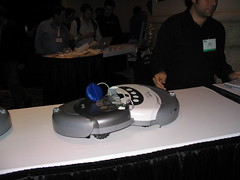
Those of you who read Make Magazine know that Phil Torrone has been working on remote-controlled Roomba vacuum cleaners. Well, tonight at ETech, Phil and Jeff Han got to test their mettle battling their Roombas in a Roomba cockfight. I took a few pictures and put them up on flickr. I also took 2 video clips of a short battle and a slightly longer battle. After a few more rounds of fighting, I suggested to Phil that we could mount my digital camera to the top of one of the Roombas to create the RoombaCam. The result is 5 video clips in RoombaVision™. They are round n-4, round n-3, round n-2, round n-1, and the final round.


Technorati Tags: , , ,

Wednesday, March 08, 2006

ETech: Trusted Computing


Trusted Computing
Originally uploaded by Chris Tengi.
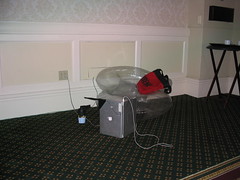
The idea of Trusted Computing is alive and well here at ETech. However, it's probably not the Trusted Computing you're thinking of. The ETech version is shown in this picture....

Technorati Tags: , ,

Tuesday, March 07, 2006

Multi-touch User Interface


I just saw the most incredible demo here at ETech 06. Jeff Han from NYU showed their multi-touch user interface, "and the crowd went wild." The interface consists of an angled acrylic panel with a projector beneath it. There are LEDs shining light into the sides of the panel and when you touch the panel, your finger (or whatever you touch it with) scatters the internally reflected light which is then picked up by sensors beneath the panel. Their technique allows you to touch the panel at many points simultaneously, enabling a very complex yet intuitive user interface.

As you might imagine, it is possible for multiple people to use the interface at the same time, allowing new methods of collaboration and interaction. One of the demo applications was a game where the object is to move around nodes on a graph in order to eliminate crossed connection lines. Jeff had 2 game boards on the screen at the same time, allowing 2 people to play against each other (modulo enough processor power underneath to do all the math and re-drawing work).

Another demo app. was a type of photo album that allowed you to move images around, resize them by pinching or spreading your fingers, and rotate them by moving putting down 2 fingers and making a circular motion. Jeff them demonstrated the same type of application displaying live video streams (somewhere over 100 streams!). That one looked like a great way to watch everything on TV at once. :-)

Jeff also showed a drawing/animation application that allowed you to draw closed-loop shapes and then animate them by simply wiggling 1 or 2 fingers within the boundary of the shape.

The really cool application was a type of "Google Earth on steroids." Imagine everything you can do with Google Earth, but doing it by touching a screen with particular gestures. As Jeff "drilled down" on the image of the globe, the satellite imagery seamlessly gave way to detailed street maps with buttons allowing you to bring up additional information about the area you were looking at. Words really fail me at this point. If I've whetted your appetite, go to Jeff's page and look at the demo reel (MPEG or QuickTime).


Technorati Tags: , , , ,

Monday, March 06, 2006

Views From the Air


IMG_4762.JPG
Originally uploaded by Chris Tengi.
On my flight from New Jersey to California, I decided to try out my GPS. To my surprise, it was able to see between 3 and 6 satellites even if I left it on the tray-table. So, I decided to take some pictures and (later) tag them with GPSPhotoLinker. This photo is the first of a set on flickr showing the result.

Technorati Tags:

Thursday, March 02, 2006

GPSPhotoLinker

While surfing around the net a while back, I came across a neat little application named GPSPhotoLinker. It is a Mac application that will take information from a GPS track file and merge the location information into the EXIF headers of selected JPEG files. Of course, in order to merge track information into a photo, you need to generate a track file. This is easily done with modern handheld GPS units such as the Garmin eTrex Legend. In mid-February I acquired just such a device. With my eTrex in hand and my Canon Powershot A70 camera, I was ready to start using hardware to add location information to my pictures, rather than doing it manually after finding the locations with Google Earth.


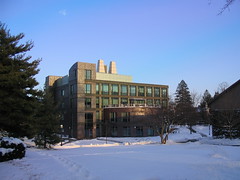
For a first test, I took a few pictures just outside of my office like the one at the left. First, I made sure that the eTrex had found enough satellites to display my location and that the time zone was configured correctly. Second, I made sure that the clock on my camera was right. Then I walked around a bit and took some pictures.

The eTrex logs its current location at regular intervals and timestamps each entry. My camera logs the time that each picture is taken in the EXIF header of the JPEG file. It is these two timestamps that GPSPhotoLinker uses to put the right location information into each picture.

Once I had taken the pictures, it was time to download everything to my PowerBook and see what the program could do. Now, I don't use iPhoto when downloading pictures as I have a number of command line tools (based on Phil Harvey's excellent exiftool) that I use to set different EXIF and IPTC fields such as copyright and keywords. Instead of using iPhoto, I simply copy the JPEG files into a folder on my Desktop, open the folder, and fire up Terminal. I 'cd' to the folder and use some of my tools to add copyright, keywords, and whatever else I might want. I also run a script that adds a "GPS template" to every image I want to GPS tag. I'll explain why a bit later.

With the images prepared, I connect the eTrex to a USB-to-serial adapter, launch GPSPhotoLinker, and use its "Download Tracks" function to download the track log to my Documents folder. The next step is to load the photos into GPSPhotoLinker. Once the photos are loaded, it is now possible to add the GPS location information to each image file. The program allows you to "link" photos individually or in a batch. The "standard" mode displays 3 possible options for location values to use on your picture. Based on the timestamp in the image you will see the track point immediately preceding the photo time, the the track point immediately following, and a time-weighted average location. All three options have a "View on map" button and a "Save to photo" button. These buttons do just what you think they do. Choose the track point that most closely represents the location at which the photo was taken and click on the "Save to photo" button.

If you're trying to save coordinates to multiple photos, you can use GPSPhotoLinker's batch mode. Here you have a number of options. You can have the program select the nearest recorded point or a time-weighted average of points that are within a specified number of seconds, a specified number of meters, or a combination of the two. All-in-all, this is a very flexible program.

I said earlier that I needed to add a GPS template to the photos before I could run GPSPhotoLinker against them. Without a template, every time I added GPS information to a photo, the "maker notes" section of the EXIF header would be corrupted (I found this when I later tried to change another EXIF header value with exiftool). The corruption was verified using exiv2, on which GPSPhotoLinker is based. However, between the time I started writing this post (Thursday night) and now (Friday night) a new version of GPSPhotoLinker (1.3.5), based on a newer version of exiv2, was made available to me. This version does not corrupt the maker notes in the EXIF header, so I no longer need to pre-process the files before running GPSPhotoLinker.

On Sunday I leave for the O'Reilly ETech conference in San Diego, where I plan on taking a bunch of pictures and geocode them using GPSPhotoLinker. To see the result, take a look at my flickr photos tagged with etech06.

Technorati Tags: , , , ,

Friday, February 17, 2006

this is an audio post - click to play

Seasonal Vegetables


Seasonal Vegetables
Originally uploaded by Chris Tengi.
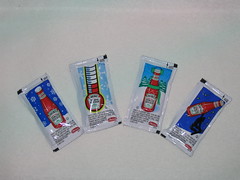
According to the US Government, ketchup is a vegetable. Here's some of the winter crop.


Technorati Tags:

Friday, February 03, 2006

Google Maps and Google Earth Street Maps for Torino Italy

Google Maps (aka Google Local) now has street-level maps of Torino, Italy. Google Earth's roads layer also shows the streets. So, who will be the first one out of the gate with mashups showing all of the Olympic venues?

This has also been blogged over at Google Maps Mania.

UPDATE: This post in the Official Google Blog tells of more enhancements for our Googley Olympics Experience, including a KMZ file showing the Olympic venues in Google Earth.


Technorati Tags: , , , ,

Thursday, February 02, 2006

MAKE: Blog: DIY Headcam...

I don't read a whole slew of blogs (who has the time?), but of the dozen or so I do read, I think I enjoy the Make blog the most. There are people all over the world fabricating really cool things all the time, and this blog touches on a number of them. For example, some folks needed a way to shoot video while hiking and decided to build their own headcam. This looks like a fun toy to me, even though I have no serious use for such a device.

Technorati Tags: , ,