Tags:
At the Hadrian Hotel

Thursday, March 06, 2008
I Love Planned Economy
Last night at ETech 08, Comrad Nikita Chrusov held a BOF session where he told us all about the leading-edge technology used by his country. He ended his presentation with a song....


Thursday, February 21, 2008
Disk Encryption May Not Protect Your Data
Ed Felten and his research group have found a fairly easy way to defeat disk encryption technologies used by MS-Windows, Mac OS X, and Linux. It turns out that encryption keys in DRAM can be recovered fairly easily if you have physical access to a laptop either powered-on or in sleep mode.
Technorati Tags:
Wednesday, February 20, 2008
LoC Photo Collection on Flickr
I just came across this post in the flickr blog talking about "The Commons." It looks like the Library of Congress has made a chunk of their photo collection available on flickr. This is really cool. From what I've heard, the LoC has quite a collection. Not only have they made these photos available, they're encouraging flickr users to tag them, making everything searchable. And if that isn't enough, the LoC includes a "Persistent URL" in the photo description that takes you to a page where you can download a higher-res JPEG or their archival TIFF file. The 137 MB TIFF I downloaded was 1800x1800 DPI, which made zooming and panning quite a bit of fun.
Tags:
Sunday, February 17, 2008
Bonjour Printing to a Linux CUPS Server
Bonjour (aka ZeroConf - mostly) printing looks like a great way to print from a Mac to a Bonjour-capable printer on the same IP subnet. However, on a network where the printers are not on the same subnet as the hosts that want to use them, something else needs to be done.
In our case, we use a Linux box running CUPS with the cups-lpd listener. All of the printers are on their own private subnet that can only be accessed form within the Computer Science department. All printing is intended to go through the CUPS server, which very nicely takes care of format conversions as needed. This architecture also gives us the ability to do print job accounting and to move jobs to other printers should one fail with jobs in the queue.
The problem is that anybody with a Mac or PC that wants to print something needs to add a network printer definition to their machine. Thanks to the Bonjour capabilities of the Mac, we have been able to use static DNS entries to define and advertise all of our print queues to any Mac user. Here's what we did....
For our printer advertisements we are using statically defined entries in our DNS files to enable DNS Service Discovery (DNS-SD) without the need for the Multicast DNS used by Bonjour-enabled printers to advertise themselves. We start with some boilerplate resource records in our main zone file:
While we only use LPD for printing (the '_printer' record above), I've included the '_ipp' record for those who prefer a more more printing protocol.
The next thing to do is define the print queues themselves, making sure to specify the various DNS records required by Bonjour printing support. Most of the information was found in the Apple Bonjour Printing Specification, but there were a few bits here and there that I put together from various searches around the 'net. I also used a bit of tcpdump sleuthing to discover what actual Macs and printers announce when advertising Bonjour printers. With all that said, here is an example print queue entry:
Please note that the "\"-escaped newlines are only included for readability. One key insight I picked up from a mailing list post was that the TXT record fields all needed to be on a single line (at least for the version of BIND I'm running). The Bonjour printing specification allows for only a single TXT record, but requires multiple attributes.
The txtvers, qtotl, transparent, copies and pdl attributes are the same for all of our printers. The rp attribute specifies the name of the print queue on the CUPS server. The ty attribute provides a "display name" for the user's printer browser and product needs to be the same value as the Product specification in the printer's PPD file. I suspect that the values for color and duplex are fairly obvious. :-)
In our DNS configuration file, we have a definition similar to the one above for every printer that our CUPS server is driving, and while we are currently using the LPD protocol, we could just as just as easily use IPP for printing. For IPP, the above example would require 2 simple changes: All instances of _printer would be replaced with _ipp and the 515 port number in the SRV record would be changed to 631. Both configurations have been tested and appear to work just fine.
If you have any interest in reading further, I have saved a number of bookmarks concerning Bonjour and DNS-SD in del.icio.us.
In our case, we use a Linux box running CUPS with the cups-lpd listener. All of the printers are on their own private subnet that can only be accessed form within the Computer Science department. All printing is intended to go through the CUPS server, which very nicely takes care of format conversions as needed. This architecture also gives us the ability to do print job accounting and to move jobs to other printers should one fail with jobs in the queue.
The problem is that anybody with a Mac or PC that wants to print something needs to add a network printer definition to their machine. Thanks to the Bonjour capabilities of the Mac, we have been able to use static DNS entries to define and advertise all of our print queues to any Mac user. Here's what we did....
For our printer advertisements we are using statically defined entries in our DNS files to enable DNS Service Discovery (DNS-SD) without the need for the Multicast DNS used by Bonjour-enabled printers to advertise themselves. We start with some boilerplate resource records in our main zone file:
;; Service Browsing
b._dns-sd._udp          PTR    @
lb._dns-sd._udp         PTR    @

;; Available Services
_services._dns-sd._udp  PTR    _ipp._tcp
_services._dns-sd._udp  PTR    _printer._tcp
While we only use LPD for printing (the '_printer' record above), I've included the '_ipp' record for those who prefer a more more printing protocol.
The next thing to do is define the print queues themselves, making sure to specify the various DNS records required by Bonjour printing support. Most of the information was found in the Apple Bonjour Printing Specification, but there were a few bits here and there that I put together from various searches around the 'net. I also used a bit of tcpdump sleuthing to discover what actual Macs and printers announce when advertising Bonjour printers. With all that said, here is an example print queue entry:
_printer._tcp           PTR    hp_218._printer._tcp
hp_218._printer._tcp    SRV    0 0 515 lpdrelay.example.edu.
                TXT   "txtvers=1" \
                      "qtotl=1" \
                      "rp=hp_218" \
                      "ty=HP LaserJet 4000 Series PS" \
                      "product=(HP LaserJet 4000 Series)" \
                      "transparent=t" \
                      "copies=t" \
                      "duplex=t" \
                      "color=f" \
                      "pdl=application/pdf,application/postscript"
Please note that the "\"-escaped newlines are only included for readability. One key insight I picked up from a mailing list post was that the TXT record fields all needed to be on a single line (at least for the version of BIND I'm running). The Bonjour printing specification allows for only a single TXT record, but requires multiple attributes.
The txtvers, qtotl, transparent, copies and pdl attributes are the same for all of our printers. The rp attribute specifies the name of the print queue on the CUPS server. The ty attribute provides a "display name" for the user's printer browser and product needs to be the same value as the Product specification in the printer's PPD file. I suspect that the values for color and duplex are fairly obvious. :-)
In our DNS configuration file, we have a definition similar to the one above for every printer that our CUPS server is driving, and while we are currently using the LPD protocol, we could just as just as easily use IPP for printing. For IPP, the above example would require 2 simple changes: All instances of _printer would be replaced with _ipp and the 515 port number in the SRV record would be changed to 631. Both configurations have been tested and appear to work just fine.
If you have any interest in reading further, I have saved a number of bookmarks concerning Bonjour and DNS-SD in del.icio.us.
Technorati Tags:
Monday, January 14, 2008
Computing in the Cloud: Possession and ownership of data
The first panel on Monday afternoon concerned the possession and ownership of data. Moderated by Ed Felten, the panelists were:
The panelists presented their positions and answered audience questions as well as responding to each other's positions. I don't feel that I can do justice to the panelists and what they said, so I'll just give a little flavor of what was said. When the video recording of the session becomes available, I'll add at the bottom of this post.
Tim Lee started things off with the position that privacy is governed by a series of trade-offs. Some data sharing is a pre-requisite for any useful online service and users are generally willing to give up some privacy in return for a valuable service. Some users will be willing to share more information for more value. Tim also spoke a bit about the history of browser cookies, GMail, and the Facebook news feed. All 3 of these things were initially looked at negatively by at least some segment of the user community. In all 3 cases, users became more accepting as they learned more about how the technologies worked, what "opt-out" options existed, and what benefits the users could derive from the technologies. A key point Tim made is that having private companies collecting data about you is less troubling than having the government doing the same. If you don't like the policies of a particular service provider, you can choose not to use that provider, as there are others around with different policies. There are no such choices available when it comes to the government.
Joel Reidenberg focused no 3 sets of implications: ownership of data, embedded values in the architecture, and irony. Data ownership is really how you get to use the bits and bytes. Fair information practice standards provide a control here. However, if data usage is based on a user consent model and the user doesn't understand, how can the model be effective? Joel also raised the question of whether data on social networking sites is public or private. Despite what many users may think, the data is generally public and can be accessed by anybody (including law enforcement). Next up, Joel talked about how privacy values are embedded in the architecture of a given technology. With the Facebook beacon fiasco, we got to see "how the data mining sausage was made" and it bothered quite a few people. We got to see what was going on behind the scenes in a way that was quite graphic when compared to GMail's ad scanning. Joel said that data privacy rules have to focus on effective transparency and proposed that a data usage rule set should travel along with data wherever it goes. Finally, he spoke of the irony that cloud computing actually opens the doors for privacy enhancement. Centralized data holders are easier to find, regulate and prosecute. However, we will need more cooperation in the future between lawmakers and standards bodies if we are to have effective data privacy standards and rules.
Marc Rotenberg gave an introduction to privacy culture. He presented the concept of fair information practices where the entity that collects data on individuals takes on obligations for security, accuracy and rights of access, among others. The custodian of the data has the responsibility to prevent "bad things" from happening to the data. Privacy people by and large believe that technology can be a solution to privacy problems, but the techniques need to be evaluated: having secure encryption keys will protect your data, but having a key escrow system will erode that protection in at least some (if not all) cases. Anonymity is critical to privacy. A person's actual identity should not be required to determine if they have the credentials to use a given service. Also, there is a paradox in that much of privacy is about transparency. Imposing obligations on custodians to be more open and accountable about the data they collect makes it easier to ensure that the data will only be used in known ways. The greater the secrecy about how data is being collected, the greater the possibility that it can be used in negative ways without people learning about it.
As I was trying to actually pay attention to what was being said as I was taking notes, I feel that I may have given short shrift to all 3 presenters and I encourage you to watch the video of the panel (once it becomes available - please check back for an update). That way you'll hear first-hand what they had to say. You'll also get to hear the lively debate that took place during the rebuttal and audience question section.
UPDATE: The video recordings from the workshop are now available at the Princeton UChannel.
- Joel Reidenberg, (home page), Professor of Law, Fordham University
- Timothy B. Lee, blogger at Technology Liberation Front and adjunct scholar, Cato Institute
- Marc Rotenberg, Executive Director, Electronic Privacy Information Center
The panelists presented their positions and answered audience questions as well as responding to each other's positions. I don't feel that I can do justice to the panelists and what they said, so I'll just give a little flavor of what was said. When the video recording of the session becomes available, I'll add at the bottom of this post.
Tim Lee started things off with the position that privacy is governed by a series of trade-offs. Some data sharing is a pre-requisite for any useful online service and users are generally willing to give up some privacy in return for a valuable service. Some users will be willing to share more information for more value. Tim also spoke a bit about the history of browser cookies, GMail, and the Facebook news feed. All 3 of these things were initially looked at negatively by at least some segment of the user community. In all 3 cases, users became more accepting as they learned more about how the technologies worked, what "opt-out" options existed, and what benefits the users could derive from the technologies. A key point Tim made is that having private companies collecting data about you is less troubling than having the government doing the same. If you don't like the policies of a particular service provider, you can choose not to use that provider, as there are others around with different policies. There are no such choices available when it comes to the government.
Joel Reidenberg focused no 3 sets of implications: ownership of data, embedded values in the architecture, and irony. Data ownership is really how you get to use the bits and bytes. Fair information practice standards provide a control here. However, if data usage is based on a user consent model and the user doesn't understand, how can the model be effective? Joel also raised the question of whether data on social networking sites is public or private. Despite what many users may think, the data is generally public and can be accessed by anybody (including law enforcement). Next up, Joel talked about how privacy values are embedded in the architecture of a given technology. With the Facebook beacon fiasco, we got to see "how the data mining sausage was made" and it bothered quite a few people. We got to see what was going on behind the scenes in a way that was quite graphic when compared to GMail's ad scanning. Joel said that data privacy rules have to focus on effective transparency and proposed that a data usage rule set should travel along with data wherever it goes. Finally, he spoke of the irony that cloud computing actually opens the doors for privacy enhancement. Centralized data holders are easier to find, regulate and prosecute. However, we will need more cooperation in the future between lawmakers and standards bodies if we are to have effective data privacy standards and rules.
Marc Rotenberg gave an introduction to privacy culture. He presented the concept of fair information practices where the entity that collects data on individuals takes on obligations for security, accuracy and rights of access, among others. The custodian of the data has the responsibility to prevent "bad things" from happening to the data. Privacy people by and large believe that technology can be a solution to privacy problems, but the techniques need to be evaluated: having secure encryption keys will protect your data, but having a key escrow system will erode that protection in at least some (if not all) cases. Anonymity is critical to privacy. A person's actual identity should not be required to determine if they have the credentials to use a given service. Also, there is a paradox in that much of privacy is about transparency. Imposing obligations on custodians to be more open and accountable about the data they collect makes it easier to ensure that the data will only be used in known ways. The greater the secrecy about how data is being collected, the greater the possibility that it can be used in negative ways without people learning about it.
As I was trying to actually pay attention to what was being said as I was taking notes, I feel that I may have given short shrift to all 3 presenters and I encourage you to watch the video of the panel (once it becomes available - please check back for an update). That way you'll hear first-hand what they had to say. You'll also get to hear the lively debate that took place during the rebuttal and audience question section.
UPDATE: The video recordings from the workshop are now available at the Princeton UChannel.
Technorati Tags:
Computing in the Cloud Workshop
Today is day one of the Computing in the Cloud Workshop being presented by Princeton's Center for Information Technology Policy. After opening remarks by H. Vincent Poor, Dean of the School of Engineering and Applied Science, Ed Felten got things rolling with "Computing in the Cloud: What, How and Why."
Starting with definitions of Cloud Computing from John Markoff, Wikipedia, the MIT Technology Review and Eric Schmidt, Ed then went on to expand on them and delve into the history and some of the implications. It's all about location, but why does it matter where the data and software actually is? Possession of data implies control, and control implies power. Whomever owns the systems on which data resides has the ultimate control of how that data is retained and who has access. If, for example, all of your EMail is in your Google Mail account, how confident are you that what you delete is actually gone forever? Are you confident that your data on a third party server will not be accessible by anybody else, except as you decide? If the government presents a subpoena to the holder of your data, what, if anything, will be released?
Ed also gave a broad over of how we got here, talking about the swing back and forth between centralized computing and a more distributed model. Early on, computers were big and expensive so there was an economic incentive to have the users come to the computer. This was followed by timesharing, where users had terminals at remote locations (such as their office), but the actual computer was still in a large, air-conditioned room somewhere. In the late 1970s and early 1980s PCs and Sun Workstations (for example) were available at a low enough cost that individual users could now have local computing. This gave users more autonomy and the potential for a more rich user interface, but at the loss of the lower cost per user, expert management and higher utilization that centralized computing facilities could provide.
During the 1980s and 1990s, the client-server computing model gained popularity but was soon overtaken by the World Wide Web. This swing of the pendulum took us back to a more centralized model of computing where all of the data and manipulations took place on a remote computer and the results were displayed locally, as in early timesharing. In the early 2000s, the web browser became more like a computing device as AJAX and other programming models came into existence. More like the client-server model, some computation takes place on the remotre "back end" and some on the local computer. This brings with it all of the complexities of client-server computing along with those inherent in trying to shoe-horn a computing engine into the browser. In addition, these applications are typically written in multiple programming languages such as SQL for database access, PHP for page generation, and combinations of HTML, XML and Javascript for local processing and display.
The modern tools and infrastructure available today make many interesting "real-time" applications possible. For example, during the Iowa Caucuses, the Democratic Party was able to utilize infrastructure from Amazon to present an "Iowa Democratic Party Caucus Results" web page, that was kept updated as results came in and was not adversely effected by the amount of traffic the page received. The tools of today also allow the creation of sites such as Facebook and ebay. Sites such as these would not have been easily created in the past.
With disk storage prices dropping and as a side-effect of the AJAX-type programming model, data is continually building up in remote data centers. It is in the best interest of the data center owner to hold onto that data for as long as possible as there is probably some value that can be extracted from it along the way.
There are additional concerns and implications to having your data on somebody else's server. How portable is your data? Can you easily extract it and move it to another provider if you so choose? Does your current provider have data retention policies that meet your needs? When you access your data, how secure and private is the connection between your computer and the provider's site? If an intermediary has lots of customer data and amkes it difficult for customers to move that data, the provider gains market power.
Concerns such as those above can be addresses in a number of ways. If a cloud computing provider is a "community" then the members of that community have a say about how their data is managed. A provider may also decide that they won't "be evil" and if you trust them to follow through, you may feel more secure about your data. There are also the options of ex post regulations that would control how a provider that has already amassed data must manage the data or ex ante agreements where the provider makes promises up-front as to how they will deal with data on their servers.
A number of the above issues and concerns were addressed in the first afternoon panel discussion: "Possession and Ownership of Data."
UPDATE: The video recordings of the workshop are now available at the Princeton UChannel.
Starting with definitions of Cloud Computing from John Markoff, Wikipedia, the MIT Technology Review and Eric Schmidt, Ed then went on to expand on them and delve into the history and some of the implications. It's all about location, but why does it matter where the data and software actually is? Possession of data implies control, and control implies power. Whomever owns the systems on which data resides has the ultimate control of how that data is retained and who has access. If, for example, all of your EMail is in your Google Mail account, how confident are you that what you delete is actually gone forever? Are you confident that your data on a third party server will not be accessible by anybody else, except as you decide? If the government presents a subpoena to the holder of your data, what, if anything, will be released?
Ed also gave a broad over of how we got here, talking about the swing back and forth between centralized computing and a more distributed model. Early on, computers were big and expensive so there was an economic incentive to have the users come to the computer. This was followed by timesharing, where users had terminals at remote locations (such as their office), but the actual computer was still in a large, air-conditioned room somewhere. In the late 1970s and early 1980s PCs and Sun Workstations (for example) were available at a low enough cost that individual users could now have local computing. This gave users more autonomy and the potential for a more rich user interface, but at the loss of the lower cost per user, expert management and higher utilization that centralized computing facilities could provide.
During the 1980s and 1990s, the client-server computing model gained popularity but was soon overtaken by the World Wide Web. This swing of the pendulum took us back to a more centralized model of computing where all of the data and manipulations took place on a remote computer and the results were displayed locally, as in early timesharing. In the early 2000s, the web browser became more like a computing device as AJAX and other programming models came into existence. More like the client-server model, some computation takes place on the remotre "back end" and some on the local computer. This brings with it all of the complexities of client-server computing along with those inherent in trying to shoe-horn a computing engine into the browser. In addition, these applications are typically written in multiple programming languages such as SQL for database access, PHP for page generation, and combinations of HTML, XML and Javascript for local processing and display.
The modern tools and infrastructure available today make many interesting "real-time" applications possible. For example, during the Iowa Caucuses, the Democratic Party was able to utilize infrastructure from Amazon to present an "Iowa Democratic Party Caucus Results" web page, that was kept updated as results came in and was not adversely effected by the amount of traffic the page received. The tools of today also allow the creation of sites such as Facebook and ebay. Sites such as these would not have been easily created in the past.
With disk storage prices dropping and as a side-effect of the AJAX-type programming model, data is continually building up in remote data centers. It is in the best interest of the data center owner to hold onto that data for as long as possible as there is probably some value that can be extracted from it along the way.
There are additional concerns and implications to having your data on somebody else's server. How portable is your data? Can you easily extract it and move it to another provider if you so choose? Does your current provider have data retention policies that meet your needs? When you access your data, how secure and private is the connection between your computer and the provider's site? If an intermediary has lots of customer data and amkes it difficult for customers to move that data, the provider gains market power.
Concerns such as those above can be addresses in a number of ways. If a cloud computing provider is a "community" then the members of that community have a say about how their data is managed. A provider may also decide that they won't "be evil" and if you trust them to follow through, you may feel more secure about your data. There are also the options of ex post regulations that would control how a provider that has already amassed data must manage the data or ex ante agreements where the provider makes promises up-front as to how they will deal with data on their servers.
A number of the above issues and concerns were addressed in the first afternoon panel discussion: "Possession and Ownership of Data."
UPDATE: The video recordings of the workshop are now available at the Princeton UChannel.
Technorati Tags:
Wednesday, December 19, 2007
xmppid - OpenID Meets Jabber
I just found this blog post while looking over the news on Planet Jabber. There is now a web page available that allows you to use your Jabber/XMPP ID (JID) for OpenID authentication. When prompted for a URL to use for OpenID, just add your JID to "http://xmppid.net/." For example, if your JID is "MYNAME@jabber.org" you would specify "http://xmppid.net/MYNAME@jabber.org" for your OpenID URL. You will receive a message with a code on that ID and your browser will be directed to a web page where you must enter the code to complete the transaction. Pretty cool stuff....
Technorati Tags:
Monday, November 12, 2007
Disney World - Day 4 - Magic Kingdom
4 of 5 in a series of placeholder blog posts. :-) Day 5 started with a character breakfast at the Crystal Palace. We only managed to get on a few rides during the day but went back for "extra magic hours" after spending a few hours at Downtown Disney. As with the previous posts, this will get fleshed out when I get better network access.
Sunday, November 11, 2007
Disney World - Day 3 - Animal Kingdom

Day 3 at WDW was spent at Disney's Animal Kingdom...
We started off on the Kali River Rapids where we all got slightly damp. The boys wanted to ride again, so Randee and I hung out near the exit and watched a few of the more local primates hang out. While everybody continued to dry out, we roamed around, learned a bit about the Komodo Dragon and headed over to the bat house. All of the bats are male, but that doesn't prevent them from "fighting," as one little girl commented. Nudge, nudge, wink, wink.
The boys and I had been pin trading since we arrived at WDW and our day at the Animal Kingdom presented more opportunities for trading. In fact, it presented opportunities for more than just trading. We were on our way to the 2PM Lion King show when the boys stopped to trade pins with "Joe," a cast member with a clipboard. We chatted for a while and he eventually asked us if we were planning on watching "Mickey's Jingle Jungle Parade." We said we probably would and he asked if we'd like some really good seats. That sounded good to us, so he showed us the route of the parade and said that our seats would follow the parade route. The only requirements were that we wear some minor costumes (vests and Goofy hats with antlers, as it turns out) and wave to everybody - we'd actually be in the parade! How many times does something like *this* come along? (Answer: not nearly often enough).
We went of to the Lion King show and then wandered off to the parade's starting location. We were given our costumes, put on a float, and off we went! We rode all around the park and waved and smiled at many, many people. It was really satisfying to see little kids' eyes light up when you smiled their way. It made you want to keep smiling and waving even thought your arm felt like it would fall off any minute. One amusing moment during the parade was when we looked into the sea of people and saw Mark's 3rd grade teacher waving to us. You just never know who you'l run into at Disney World.
After the parade, there was not a whole lot of time left until the park closed for the day, so we headed off to the new Expedition Everest. The boys and I had each gotten a FastPass for this one earlier in the day and we were ready to go. Randee had no interest so she cruised the gift shop while me and the guys waited on line. The ride was fun and the boys went again since the line was now pretty short. It turns out that Randee spent her time in the gift shop getting the 3 of us Expedition Everest t-shirts for Christmas. It was a nice reminder of the trip when we got them.
So day 3 didn't include too many attractions but it did include a once-in-a-lifetime thrill for all of us. I think that riding in the parade was, for all of us, the highlight of the day, and perhaps the entire trip.
UPDATED 2008/03/19: Way later than I expected.... I originally posted a day 3 (Saturday) entry from my Blackberry at 1:15 AM on Sunday (Nov. 11) using IMified, which is cool, but not great for long blog posts - especially if you want links and pictures.
We started off on the Kali River Rapids where we all got slightly damp. The boys wanted to ride again, so Randee and I hung out near the exit and watched a few of the more local primates hang out. While everybody continued to dry out, we roamed around, learned a bit about the Komodo Dragon and headed over to the bat house. All of the bats are male, but that doesn't prevent them from "fighting," as one little girl commented. Nudge, nudge, wink, wink.
The boys and I had been pin trading since we arrived at WDW and our day at the Animal Kingdom presented more opportunities for trading. In fact, it presented opportunities for more than just trading. We were on our way to the 2PM Lion King show when the boys stopped to trade pins with "Joe," a cast member with a clipboard. We chatted for a while and he eventually asked us if we were planning on watching "Mickey's Jingle Jungle Parade." We said we probably would and he asked if we'd like some really good seats. That sounded good to us, so he showed us the route of the parade and said that our seats would follow the parade route. The only requirements were that we wear some minor costumes (vests and Goofy hats with antlers, as it turns out) and wave to everybody - we'd actually be in the parade! How many times does something like *this* come along? (Answer: not nearly often enough).
We went of to the Lion King show and then wandered off to the parade's starting location. We were given our costumes, put on a float, and off we went! We rode all around the park and waved and smiled at many, many people. It was really satisfying to see little kids' eyes light up when you smiled their way. It made you want to keep smiling and waving even thought your arm felt like it would fall off any minute. One amusing moment during the parade was when we looked into the sea of people and saw Mark's 3rd grade teacher waving to us. You just never know who you'l run into at Disney World.
After the parade, there was not a whole lot of time left until the park closed for the day, so we headed off to the new Expedition Everest. The boys and I had each gotten a FastPass for this one earlier in the day and we were ready to go. Randee had no interest so she cruised the gift shop while me and the guys waited on line. The ride was fun and the boys went again since the line was now pretty short. It turns out that Randee spent her time in the gift shop getting the 3 of us Expedition Everest t-shirts for Christmas. It was a nice reminder of the trip when we got them.
So day 3 didn't include too many attractions but it did include a once-in-a-lifetime thrill for all of us. I think that riding in the parade was, for all of us, the highlight of the day, and perhaps the entire trip.
UPDATED 2008/03/19: Way later than I expected.... I originally posted a day 3 (Saturday) entry from my Blackberry at 1:15 AM on Sunday (Nov. 11) using IMified, which is cool, but not great for long blog posts - especially if you want links and pictures.
Tags:
Saturday, November 10, 2007
Disney World - Day 2 - Epcot
Today we spent a *really* long ("Extra Magic Hours") day at Epcot. We got kind of a late start and didn't actually get on a ride until around 10:45 AM. That ride was "Mission Space" where we discovered that, unlike the last time we were at WDW, there are 2 flavors of the ride: one where they spin you and one where they don't. The boys and I opted for all-spinning, all-dancing and enjoyed it quite well.
After "Mission Space" we met up with Randee's sister Merryl and her girls: Megan and Lauren. We headed for
the "Universe of Energy" where we got to see "Ellen," "Alex" and "Bill Nye The Science Guy" (Bill! Bill!). Nothing new to report here, but we always seem to enjoy this one. We went on to "The Seas" followed by "The Land" where we had lunch.
Other than "Soarin'" (which we rode later, during our Extra Magic Hours), both Land and Sea were pretty disappointing. "The Seas" now seems to be much more geared toward younger visitors (way pre-teen). I remember there being more scientific information available in the past. The boat ride in "The Land" was pretty useless. The last time we went to WDW, there was a cast member riding along with us, explaining what was what and answering questions. This time, we were on our own except for a few pre-recorded blurbs here and there.
After lunch, we headed for "Test Track" which is always fun. We rode again during the Extra Magic Hours, but I took a video clip for our first ride. On the way out, Eric found the car he wants when he turns 17 in January. If he can pay for it, he can have it!
The rest of the daylight hours were spent roaming around the World Showcase. We rode the "River of Time" (another attraction modified down to the way pre-teen level, sigh) and the Maelstrom. We saw Chinese Acrobats and found "Hidden Mickeys" and wandered around until about dinner time, when Merryl and the girls headed back to their hotel. The four of us then had dinner at the "Rose and Crown" where we had lagoon-side seats for the nightly "Illuminations" light and fireworks show. The food was great and we had a great view of the show. If you'd like to watch the show while enjoying some typical British fare, I highly recommend that you make reservations at the Rose and Crown for dinner - and be sure to tell them that you'd like outside seating to watch the fireworks.
We ended the night with a ride on Soarin' which involved almost an hour waiting on line. The wait was worth it (just like it was last time). To keep you amused while you're waiting, they have an interactive wall that allows the crowd to move various animated objects and animals back and forth across the wall. If you wave your arms to the right and your shadow moves into an object, the object moves to the right. The same goes for left, up, and down. They have a number of different games they run, alternating them such that you (hopefully) don't end up playing the same game twice while you're waiting. The ride itself is pretty spectacular. You sit in a "car" in a row of 6 or 8 seats, all facing a large curved screen. Your car gets lifted into the air so that your feet are dangling (don't wear flip-flops!) and all you can see is the screen. They then play an iMax-like movie while blowing you with a gentle breeze, appropriately scented for the area over which you are flying. You almost wish it could go on forever. This one is a definite for Fastpass. I honestly wouldn't mind riding this 2 or 3 times.
I have pictures from this trip over at flickr, with the Epcot pics starting here.
UPDATE 2008/01/04: I originally posted this from my Blackbery using IMified early morning on day 3 as a placeholder post to be fleshed out when I got a net connection better than my Blackberry (and I wasn't ready to just collapse onto the bed :-) ).
After "Mission Space" we met up with Randee's sister Merryl and her girls: Megan and Lauren. We headed for
the "Universe of Energy" where we got to see "Ellen," "Alex" and "Bill Nye The Science Guy" (Bill! Bill!). Nothing new to report here, but we always seem to enjoy this one. We went on to "The Seas" followed by "The Land" where we had lunch.
Other than "Soarin'" (which we rode later, during our Extra Magic Hours), both Land and Sea were pretty disappointing. "The Seas" now seems to be much more geared toward younger visitors (way pre-teen). I remember there being more scientific information available in the past. The boat ride in "The Land" was pretty useless. The last time we went to WDW, there was a cast member riding along with us, explaining what was what and answering questions. This time, we were on our own except for a few pre-recorded blurbs here and there.
After lunch, we headed for "Test Track" which is always fun. We rode again during the Extra Magic Hours, but I took a video clip for our first ride. On the way out, Eric found the car he wants when he turns 17 in January. If he can pay for it, he can have it!
The rest of the daylight hours were spent roaming around the World Showcase. We rode the "River of Time" (another attraction modified down to the way pre-teen level, sigh) and the Maelstrom. We saw Chinese Acrobats and found "Hidden Mickeys" and wandered around until about dinner time, when Merryl and the girls headed back to their hotel. The four of us then had dinner at the "Rose and Crown" where we had lagoon-side seats for the nightly "Illuminations" light and fireworks show. The food was great and we had a great view of the show. If you'd like to watch the show while enjoying some typical British fare, I highly recommend that you make reservations at the Rose and Crown for dinner - and be sure to tell them that you'd like outside seating to watch the fireworks.
We ended the night with a ride on Soarin' which involved almost an hour waiting on line. The wait was worth it (just like it was last time). To keep you amused while you're waiting, they have an interactive wall that allows the crowd to move various animated objects and animals back and forth across the wall. If you wave your arms to the right and your shadow moves into an object, the object moves to the right. The same goes for left, up, and down. They have a number of different games they run, alternating them such that you (hopefully) don't end up playing the same game twice while you're waiting. The ride itself is pretty spectacular. You sit in a "car" in a row of 6 or 8 seats, all facing a large curved screen. Your car gets lifted into the air so that your feet are dangling (don't wear flip-flops!) and all you can see is the screen. They then play an iMax-like movie while blowing you with a gentle breeze, appropriately scented for the area over which you are flying. You almost wish it could go on forever. This one is a definite for Fastpass. I honestly wouldn't mind riding this 2 or 3 times.
I have pictures from this trip over at flickr, with the Epcot pics starting here.
UPDATE 2008/01/04: I originally posted this from my Blackbery using IMified early morning on day 3 as a placeholder post to be fleshed out when I got a net connection better than my Blackberry (and I wasn't ready to just collapse onto the bed :-) ).
Tags:
Friday, November 09, 2007
Disney World - Day 1 - MGM
Last night we flew from PHL to Orlando (via Atlanta), got onto Disney's Magical Express, and arrived at the Port Orleans Riverside around 10PM. Fortunately, we had gotten some good advice about packing "first night" clothing and such in a carry-on bag, so we didn't need to wait for our luggage to catch up with us (good thing too, as it didn't get to the resort until 3AM).
Today we spent the day at Disney MGM Studios. The highlights were the new "Lights, Motors, Action" stunt show imported from Disneyland Paris, the Rockin' Roller Coaster, and Fantasmic. The stunt show was very cool (and very loud). This being a Disney attraction, it naturally had a back story: they are "filming" a number of chase sequences for an upcoming movie. Of course they're not really doing that, but it does provide for a bit of behind-the-scenes style theater. If you like fast cars, fast bikes, jumps and flames, this is a show must-see.
The last time we were at the Disney-MGM Studios, they had not yet built the Rockin' Roller Coaster. The premise is that you've been invited by Aerosmith to one of their shows, but everybody's running very late so they need to put you in a really fast limo. They shoot this limo out of the staging area at what seems like 0 to 60 MPH in about 1.5 seconds. I'm sure I have the numbers wrong, but we did get up to speed very quickly. The limo took you over the surprisingly winding and hilly LA freeways to the tune of (naturally) blaring Aerosmith music. Too bad all limo rides can't be like that.
We also tried something new (for us) this year by signing up for a dining plan. This is a really good deal. We had lunch at the ABC Commissary and dinner at Spoodles (at the Boardwalk), saved a substantial bit of money, and walked away from both meals *far* from hungry. The meal plan entitled each of us to a sit-down meal, a counter-service meal, and a snack, every day. The counter-service meal included an entree, a drink and a dessert and the full-service meal added an appetizer to that. I just have to say that the food at Spoodles was absolutely great. I would eat there again even without the meal plan, but I don't think I'd order nearly as much food.
After dinner we headed back to Disney-MGM for the evening's showing of Fantasmic. We saw the show years ago when we were last at Disney-MGM, but I don't remember enough to say if/how the show has evolved. There was lots of smoke and fireworks, as well as animations and movie clips projected on water sprays (which were pretty cool). And of course, there were plenty of Disney characters and extras. All-in-all it was a good show.
I have a bunch of pictures from this trip over at flickr.
UPDATE 2007/12/11: I originally posted this from my Blackbery using IMified. It's a great tool for quick posts, but if you want multiple paragraphs, formatting and HTTP links, you need to do a little post processing on a bigger screen.
Today we spent the day at Disney MGM Studios. The highlights were the new "Lights, Motors, Action" stunt show imported from Disneyland Paris, the Rockin' Roller Coaster, and Fantasmic. The stunt show was very cool (and very loud). This being a Disney attraction, it naturally had a back story: they are "filming" a number of chase sequences for an upcoming movie. Of course they're not really doing that, but it does provide for a bit of behind-the-scenes style theater. If you like fast cars, fast bikes, jumps and flames, this is a show must-see.
The last time we were at the Disney-MGM Studios, they had not yet built the Rockin' Roller Coaster. The premise is that you've been invited by Aerosmith to one of their shows, but everybody's running very late so they need to put you in a really fast limo. They shoot this limo out of the staging area at what seems like 0 to 60 MPH in about 1.5 seconds. I'm sure I have the numbers wrong, but we did get up to speed very quickly. The limo took you over the surprisingly winding and hilly LA freeways to the tune of (naturally) blaring Aerosmith music. Too bad all limo rides can't be like that.
We also tried something new (for us) this year by signing up for a dining plan. This is a really good deal. We had lunch at the ABC Commissary and dinner at Spoodles (at the Boardwalk), saved a substantial bit of money, and walked away from both meals *far* from hungry. The meal plan entitled each of us to a sit-down meal, a counter-service meal, and a snack, every day. The counter-service meal included an entree, a drink and a dessert and the full-service meal added an appetizer to that. I just have to say that the food at Spoodles was absolutely great. I would eat there again even without the meal plan, but I don't think I'd order nearly as much food.
After dinner we headed back to Disney-MGM for the evening's showing of Fantasmic. We saw the show years ago when we were last at Disney-MGM, but I don't remember enough to say if/how the show has evolved. There was lots of smoke and fireworks, as well as animations and movie clips projected on water sprays (which were pretty cool). And of course, there were plenty of Disney characters and extras. All-in-all it was a good show.
I have a bunch of pictures from this trip over at flickr.
UPDATE 2007/12/11: I originally posted this from my Blackbery using IMified. It's a great tool for quick posts, but if you want multiple paragraphs, formatting and HTTP links, you need to do a little post processing on a bigger screen.
Technorati Tags:
Tuesday, October 30, 2007
I Have Spies Everywhere
Today, Princeton University held its annual vendor fair. I asked my wife, Randee, if she was planning on attending, and she said "no." One of the vendors there was Dell and they were holding a drawing for a Latitude D630 laptop. I decided to pass, as you needed to be present to win and I wasn't planning on hanging around. -- One of Randee's co-workers had entered the drawing and gone back to the office. She was heading back to the fair, asked Randee to go with her and Randee agreed. With 10 minutes to go before the drawing, Randee decided to enter. 15 minutes later I got a message on my Blackberry from one of my co-workers telling me that Randee won the laptop. A few minutes later I received another message telling me the same thing. -- I sent Randee an EMail asking her if she had anything she wanted to tell me. I got a phone call a few minutes later asking how I knew, before she even got back to her office. I told her that "I have spies everywhere.". :-)
Wednesday, October 24, 2007
GMail Now Supports IMAP
I'm in NYC today, attending Interop. One of the keynote speakers is Matthew Glotzbach, who is Head of Products, Google Enterprise. In his talk he announced that, as of today, GMail supports IMAP in addition to POP. Now all of us who use Thunderbird or Mail.app can access our GMail using the same interface we use for our other EMail. Woo-Hoo!
Technorati Tags: Google, GMail, IMAP
Technorati Tags: Google, GMail, IMAP
Thursday, October 18, 2007
Test from IMified
I just found out about IMified and decided to give it a try. The whole idea is to be able to do a bunch of different things by sending messages to a single IM buddy. You set up an account by adding imified as a buddy and then sending a message. You get a message back with a URL. Visit that page to complete your setup. You can add different widgets to you IMified menu (which is displayed in the conversation when you send IMified a message). I added the Blogger and Remember the Milk widgets to my menu, as well as one called NetLookup, which allows you to do things like ping, traceroute, and whois. Sounds pretty neat.
Tags:
Thursday, September 20, 2007
Google as Landlord
Today I attended the first "IT Policy Lunch" of the school year. These are weekly lunch-time discussions hosted by Ed Felten, director of Princeton's Center for Information Technology Policy. The topic on the table was "Computing in the Clouds." If you're not familiar with the concept, it is essentially computing as a service, typified by Yahoo!'s flickr and Google Mail. We were given pointers to 2 short blog posts by John Markoff of the "New York Times" for background reading that go into a bit more detail than the one-liner I wrote here.
The discussion was lively and touched on a number of topics such as the level of privacy that users of these services should expect, how difficult should it be for law enforcement to gain access to the data, and do many users even know or care that these types of issues exist? The most notable take-away for me, however, is from a comment made to Ed after the session ended by Matthew Adlai-Gail, Director of New Product Development at Kaplan Eduneering.
Matt said that these services are analogous to an apartment building, where the landlord has the keys, but each tenant has an expectation of privacy within their "space." This seemed to me to be just about right. If I live in an apartment, I can fill it up with my things. As long as I lock the door(s) and windows, I feel confident that nobody will go snooping around when I'm not there. Yes, the landlord has the keys. But between my lease and various laws, he is not likely to use them just to come in and start going through my stuff. If the police want to see what I have, they need to get a warrant from a judge.
Let's say I have a Google account and I use Google Docs to save a few spreadsheets and other random documents. If I have a reasonable password on my account and I don't explicitly share any of documents with anybody, is it more like I have them on a desk in my apartment, or have I left them lying around on the sidewalk? I'd like to think that I haven't left my documents where they can be picked up and read by anybody, and I suspect that many users of these services feel the same way. That just seems reasonable to me. I'll keep my stuff in my "apartment" and let Google be my landlord. While I'm at it, maybe I'll get a place over at the Flickr building for my pictures and let Yahoo! be my landlord over there. I might even put a bunch of pictures in the windows so that everybody can see them. :-)
So, what do you think?
The discussion was lively and touched on a number of topics such as the level of privacy that users of these services should expect, how difficult should it be for law enforcement to gain access to the data, and do many users even know or care that these types of issues exist? The most notable take-away for me, however, is from a comment made to Ed after the session ended by Matthew Adlai-Gail, Director of New Product Development at Kaplan Eduneering.
Matt said that these services are analogous to an apartment building, where the landlord has the keys, but each tenant has an expectation of privacy within their "space." This seemed to me to be just about right. If I live in an apartment, I can fill it up with my things. As long as I lock the door(s) and windows, I feel confident that nobody will go snooping around when I'm not there. Yes, the landlord has the keys. But between my lease and various laws, he is not likely to use them just to come in and start going through my stuff. If the police want to see what I have, they need to get a warrant from a judge.
Let's say I have a Google account and I use Google Docs to save a few spreadsheets and other random documents. If I have a reasonable password on my account and I don't explicitly share any of documents with anybody, is it more like I have them on a desk in my apartment, or have I left them lying around on the sidewalk? I'd like to think that I haven't left my documents where they can be picked up and read by anybody, and I suspect that many users of these services feel the same way. That just seems reasonable to me. I'll keep my stuff in my "apartment" and let Google be my landlord. While I'm at it, maybe I'll get a place over at the Flickr building for my pictures and let Yahoo! be my landlord over there. I might even put a bunch of pictures in the windows so that everybody can see them. :-)
So, what do you think?
Technorati Tags:
Wednesday, August 22, 2007
Gigapixel Google Earth
Apparently, the folks over at the GigaPxl Project have built a camera that can capture thousands of megapixels in a single exposure. They took it around North America and took some very detailed pictures. Then, somebody got the bright idea of integrating these pictures into Google Earth. The results are simply spectacular!
If you haven't downloaded the latest (as of today) version of Google earth, do it right now! Install it, fire it up, and check the "Gigapxl Photos" check-box under "Featured Content" in the layers panel. Then, double-click on the words "Gigapxl Photos" to see what's out there. I've only looked at a few so far, but they are truly amazing.
Navigate your way down to Florida and double-click on the "Space Shuttle Discovery" image icon. Click on the "Fly into..." link and watch the show. Once the image is displayed, you can navigate around it just as you would with Google Earth. Try double-clicking on the car just out from the right tread of the transport. If you zoom in far enough, you can actually read the license plate!
Make your way over to Arizona and double click on the icon for "Angel's Widow" in the Grand Canyon. Fly into that picture and zoom your way toward the dark spot on the top of the outcropping on the right side of the image. Zoom all the way in and be sure to notice the chain-link fence. These images are totally mind-blowing.
I expect that I'll now bewasting spending my entire evening looking at all of these pictures. I really like how they've been aligned with the satellite imagery. A hearty "Bravo!" to all involved.
If you haven't downloaded the latest (as of today) version of Google earth, do it right now! Install it, fire it up, and check the "Gigapxl Photos" check-box under "Featured Content" in the layers panel. Then, double-click on the words "Gigapxl Photos" to see what's out there. I've only looked at a few so far, but they are truly amazing.
Navigate your way down to Florida and double-click on the "Space Shuttle Discovery" image icon. Click on the "Fly into..." link and watch the show. Once the image is displayed, you can navigate around it just as you would with Google Earth. Try double-clicking on the car just out from the right tread of the transport. If you zoom in far enough, you can actually read the license plate!
Make your way over to Arizona and double click on the icon for "Angel's Widow" in the Grand Canyon. Fly into that picture and zoom your way toward the dark spot on the top of the outcropping on the right side of the image. Zoom all the way in and be sure to notice the chain-link fence. These images are totally mind-blowing.
I expect that I'll now be
Technorati Tags:
Tuesday, July 10, 2007
Phantom Roads at the Big Dig
I was nosing around Google Maps in Boston's North End when I came across this.
It looks like there's a bit of a problem with old images not meshing properly with new ones. Either that, or cars are driving into the Twilight Zone. While this isn't earth shattering, I did find it somewhat amusing.
It looks like there's a bit of a problem with old images not meshing properly with new ones. Either that, or cars are driving into the Twilight Zone. While this isn't earth shattering, I did find it somewhat amusing.
Technorati Tags:
Wednesday, June 20, 2007
Palm Tungsten Case Mod
I have a Palm Tungsten E2, which comes with RealPlayer and an earphone jack. The jack works just fine until you put the Tungsten in a Palm hard case. An unmodified case will not close with a pair of earphones plugged into the Palm because there is no hole for the plug to pass through. This situation makes it a bit difficult to put the case in your pocket when your listening to tunes or a podcast.
Dremel to the rescue!
Looking at the case and the location of the jack on the Palm, I knew that it shouldn't be too difficult to modify the case for an earphone plug if I could get my hands on a Dremel. It turns out that my buddy Steve had one and was willing to lend it to me. Let the modding begin....
I started off by marking the location of the jack on the case with a Sharpie and then making an arc for the cut-out. I used the Sharpie cap to trace out the arc. Naturally, I did this without the benefit of a clamp of any kind, trying to hold the case and the cap with one hand without slipping. I removed the Palm from the case (!) and went to work with the Dremel.
Using a 7mm cutting bit, I roughed out the opening until the Sharpie lines were gone. I then switched to the 14mm sanding drum to gently smooth things out. On my case the base of the arc is roughly flush with the plastic of the case back. When I was using the drum, I angled it down slightly toward the outer edge to remove the lip. After the Dremel, I chipped off th melted plastic that had accumulated and used some 200 grit sandpaper to smooth things out. A little polishing with 000 steel wool and I was done! (mostly)
I cleaned all of the debris from the case and put in the Palm. I then attached some earphones and closed the case. It was almost perfect -- the top of the case hit the earphone plug. So I took out the Palm and grabbed the Dremel with the sanding drum. Very gently. I placed the spinning drum in the cut-out. Making sure to touch the bottom as little as possible and trying to keep the case from sliding side-to-side, I closed the lid slowly until the drum started cutting an arc. When I thought it was big enough, I opened the case, cleaned sanded and polished and tried fitting the Palm in the case again. This time it was perfect.
With a time investment of about 20 minutes, I now have a Palm Tungsten in a case that I can close while I listen to music. The case snaps shut so I don't have to worry about anything flopping around (try plugging earphones in with an unmodified case and you'll see exactly what I mean). All-in-all this was an easy project that will make my Palm a much better music player.
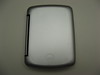
Dremel to the rescue!
Looking at the case and the location of the jack on the Palm, I knew that it shouldn't be too difficult to modify the case for an earphone plug if I could get my hands on a Dremel. It turns out that my buddy Steve had one and was willing to lend it to me. Let the modding begin....
I started off by marking the location of the jack on the case with a Sharpie and then making an arc for the cut-out. I used the Sharpie cap to trace out the arc. Naturally, I did this without the benefit of a clamp of any kind, trying to hold the case and the cap with one hand without slipping. I removed the Palm from the case (!) and went to work with the Dremel.
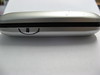
Using a 7mm cutting bit, I roughed out the opening until the Sharpie lines were gone. I then switched to the 14mm sanding drum to gently smooth things out. On my case the base of the arc is roughly flush with the plastic of the case back. When I was using the drum, I angled it down slightly toward the outer edge to remove the lip. After the Dremel, I chipped off th melted plastic that had accumulated and used some 200 grit sandpaper to smooth things out. A little polishing with 000 steel wool and I was done! (mostly)
I cleaned all of the debris from the case and put in the Palm. I then attached some earphones and closed the case. It was almost perfect -- the top of the case hit the earphone plug. So I took out the Palm and grabbed the Dremel with the sanding drum. Very gently. I placed the spinning drum in the cut-out. Making sure to touch the bottom as little as possible and trying to keep the case from sliding side-to-side, I closed the lid slowly until the drum started cutting an arc. When I thought it was big enough, I opened the case, cleaned sanded and polished and tried fitting the Palm in the case again. This time it was perfect.
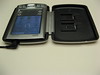
With a time investment of about 20 minutes, I now have a Palm Tungsten in a case that I can close while I listen to music. The case snaps shut so I don't have to worry about anything flopping around (try plugging earphones in with an unmodified case and you'll see exactly what I mean). All-in-all this was an easy project that will make my Palm a much better music player.
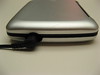
Technorati Tags:
Monday, June 18, 2007
Ravenchase Adventures in Princeton
For Father's day this year, my wife and the boys took me on a little adventure in Princeton. Around noon, Randee said to me and the boys that we needed to be out of the house by 12:30 for a little Father's Day adventure. Of course, everybody but me knew where we were going and what was going to happen when we got there, but who am I to turn down an adventure?
We drove into town and went to the Fitzrandolph Gate in front of Nassau Hall. There we met Rob and Kristine Jenner from Ravenchase Adventures. When all 3 teams had arrived, Rob and Kristine went over the rules and the goals. We were given 4 clues to solve and given an "aged" map showing 5 locations on campus. We were to use our 4 clues to find the final clue that would lead us to a restaurant in Princeton where Rob and Kristine would be waiting for us to buy the first round of drinks and award tacky prizes.
Randee and I had a bit of an advantage as we both work on campus. However, that didn't help us in finding the actual clues once we found the right locations on campus. In fact, one set of (supposedly) required clues was completely missing when we got there. In the fountain behind Robertson Hall there is a fountain/pool. In the fountain there were placed 2006 pennies. The clue here was to find a "coppered Civil War power" which was meant to be the image of Abraham Lincoln on the pennies. However, there was a kids "pool party" going on there and it seems that one or more of the kids collected the coins before any of the teams got there.
We wondered around the fountain for a while trying to find anything copper and eventually gave up (we did not know until later about the pennies). We hit all the other locations on the clue sheets we were given and, at the stadium, found a scroll that took us to the last site. There we found a lock-box that we knew contained the cryptex. The clue on the scroll said to use "Lincoln's date" to open the lock. So, not knowing anything about the pennies, we tried 212 (Feb 12 - Lincoln's birthday). That didn't work, so I looked up the date Lincoln was assassinated on my Blackberry and tried that (I know, you might call that cheating). That didn't work either.
So, I decided to try the brute force method. I set all 3 wheels of the lock to "0" and put pressure on the thumb latch. I was hoping that as I set each wheel to the correct digit of the combination that I'd be able to fel a small movement in the latch. I tried 001, 002, 003, 004, and 005 without any movement of the latch button at all. However, when I got to 006, the box popped open, to the amazement of all 4 of us. We had no idea how "006" could be Lincoln's date, at that point.
I removed the cryptex and gave it to Mark, who had asked to try it first. He spun the wheels for a bit when Eric deciphered the key from the scroll. It was an abbreviation for the name of the race -- DADDY. Mark spun it in and opened the cryptex. I removed the scroll and found the final "clue" with the name of the restaurant. At about that time, my cell phone rang. It was Rob apologizing for the missing clue at the fountain. I told him that we had just opened the cryptex and would meet him at Sotto shortly. We got there and found, to our amazement, that we had won the race! The entire time, we had been joking and mis-quoting Rowan Atkinson in "Rat Race" saying ,"It's a race. We're losing!" Boy, were we surprised.
All-in-all, we had a really fun time wandering around the campus and attempting to solve the clues. I'd recommend this for anybody who likes puzzles and the outdoors. Just remember to wear comfortable walking shoes.
We drove into town and went to the Fitzrandolph Gate in front of Nassau Hall. There we met Rob and Kristine Jenner from Ravenchase Adventures. When all 3 teams had arrived, Rob and Kristine went over the rules and the goals. We were given 4 clues to solve and given an "aged" map showing 5 locations on campus. We were to use our 4 clues to find the final clue that would lead us to a restaurant in Princeton where Rob and Kristine would be waiting for us to buy the first round of drinks and award tacky prizes.
Randee and I had a bit of an advantage as we both work on campus. However, that didn't help us in finding the actual clues once we found the right locations on campus. In fact, one set of (supposedly) required clues was completely missing when we got there. In the fountain behind Robertson Hall there is a fountain/pool. In the fountain there were placed 2006 pennies. The clue here was to find a "coppered Civil War power" which was meant to be the image of Abraham Lincoln on the pennies. However, there was a kids "pool party" going on there and it seems that one or more of the kids collected the coins before any of the teams got there.
We wondered around the fountain for a while trying to find anything copper and eventually gave up (we did not know until later about the pennies). We hit all the other locations on the clue sheets we were given and, at the stadium, found a scroll that took us to the last site. There we found a lock-box that we knew contained the cryptex. The clue on the scroll said to use "Lincoln's date" to open the lock. So, not knowing anything about the pennies, we tried 212 (Feb 12 - Lincoln's birthday). That didn't work, so I looked up the date Lincoln was assassinated on my Blackberry and tried that (I know, you might call that cheating). That didn't work either.
So, I decided to try the brute force method. I set all 3 wheels of the lock to "0" and put pressure on the thumb latch. I was hoping that as I set each wheel to the correct digit of the combination that I'd be able to fel a small movement in the latch. I tried 001, 002, 003, 004, and 005 without any movement of the latch button at all. However, when I got to 006, the box popped open, to the amazement of all 4 of us. We had no idea how "006" could be Lincoln's date, at that point.
I removed the cryptex and gave it to Mark, who had asked to try it first. He spun the wheels for a bit when Eric deciphered the key from the scroll. It was an abbreviation for the name of the race -- DADDY. Mark spun it in and opened the cryptex. I removed the scroll and found the final "clue" with the name of the restaurant. At about that time, my cell phone rang. It was Rob apologizing for the missing clue at the fountain. I told him that we had just opened the cryptex and would meet him at Sotto shortly. We got there and found, to our amazement, that we had won the race! The entire time, we had been joking and mis-quoting Rowan Atkinson in "Rat Race" saying ,"It's a race. We're losing!" Boy, were we surprised.
All-in-all, we had a really fun time wandering around the campus and attempting to solve the clues. I'd recommend this for anybody who likes puzzles and the outdoors. Just remember to wear comfortable walking shoes.
Technorati Tags:
Monday, May 21, 2007
Don't use Preview on the Mac to write EXIF keywords
If you read this blog, you may have realized by now that I'm a fan of flickr. As I write this, I have 791 photos uploaded to flickr. One of the things I like about flickr is the ability to tag photos, and one of the features of the flickr uploadr (buy a vowel already :-) ) for the Mac is that it will use EXIF (IPTC, really) keywords as tags for uploaded photos.
I've been using Phil Harvey's excellent exiftool to do all sorts of header manipulations as well as jhead to reset the filesystem timestamp once I'm all done mucking around with the file. Not too long ago, I discovered that the Preview application on the Mac will let you set keywords as well. Even though I am a command line kind of guy, I liked the idea of setting keywords for an image while I was actually looking at it. So I went through and added keywords to about 50 pictures. I then went to reset the date using jhead, and it complained about the EXIF header directory. I used exiftool to take a look, and it told me there was a problem with the IDF0 directory. Hmmm....
I contacted Phil to ask him if he could enlighten me at all on the problem. He was kind enought to respond almost immediately with an explanation of the error, a way I could find it myself (use 'exiftool -htmldump0') and even a way to fix it! Talk about customer service. Thanks, Phil!
It turns out that in the process of writing the keywords to the .JPG file, Preview would delete the YCbCrPositioning tag from IFD0 but not update the entry count for the IFD. That would corrupt the structure for pretty much everything following the now missing entry. This turns out to be a fair amount of stuff.
Phil suggested that I open a case with Apple, so I gave them a call. After spending about 10 minutes trying to explain what an EXIF header was, why it was important, and what Preview was doing to damage it, the woman at Apple put me on hold. When she came back, she said that they did some testing and since there didn't seem to be a subsequent problem with iPhoto and iDVD, there was nothing she could do for me. Grrrr....
I spent a few more minutes trying to explain why having an Apple application corrupt their users' data was a bad thing. She finally gave in and transferred me to an application specialist. I had to spend some time with him explaining the whole problem again, including the bit about my disappointment with the original "it works for us" response I received. I then remembered that Aperture was an Apple product that might actually care about the contents of the EXIF header and mentioned this to him. I was told to call back in a few days to see if he was able to find out anything useful for me.
I called back today and spoke to the specialist. He said that he had discussed the problem with the product engineers and that they knew about it. They told him that there are no plans to fix the problem at this time and the work-around is to not use Preview to set keywords in photos. As you might imagine, this was not exactly the response I was hoping for. However, in light of the initial response I got when reporting the problem, I probably should have expected it. Sigh....
If you want to try this at home, here's what to do. First, make a copy of the photo you want to work on. Open the copy in Preview and type <APPLE>-I (type 'i' while holding down the "Apple" key). A window will pop up with 3 tabs, the third of which is "Keywords." Click on that tab and then the "Add" button in the bottom of the window. Do this as many times as you want and then exit Preview. You will be prompted to save you changes, which you should do.
Now, open up a Terminal window and 'cd' to the directory where the photo files reside. Run 'exiftool -htmldump0' against the original photo and redirect the output to something ending in ".html." Do the same thing with the modified photo, using a different filename for the output, of course. Back in the GUI, double-click on the 2 ".html" files and compare the output. Scan down the right side of the pages looking for "IDF0-" entries. You should see "invalid IFD entry" listed for the modified photo. If you look at the page for the non-modified photo, you should see a whole bunch of information about your photo that is now lost in the modified image. It is possible to update the "IFD0 entries" field to get back most of the missing information, but it is not for those uncomfortable with the command line....
I've been using Phil Harvey's excellent exiftool to do all sorts of header manipulations as well as jhead to reset the filesystem timestamp once I'm all done mucking around with the file. Not too long ago, I discovered that the Preview application on the Mac will let you set keywords as well. Even though I am a command line kind of guy, I liked the idea of setting keywords for an image while I was actually looking at it. So I went through and added keywords to about 50 pictures. I then went to reset the date using jhead, and it complained about the EXIF header directory. I used exiftool to take a look, and it told me there was a problem with the IDF0 directory. Hmmm....
I contacted Phil to ask him if he could enlighten me at all on the problem. He was kind enought to respond almost immediately with an explanation of the error, a way I could find it myself (use 'exiftool -htmldump0') and even a way to fix it! Talk about customer service. Thanks, Phil!
It turns out that in the process of writing the keywords to the .JPG file, Preview would delete the YCbCrPositioning tag from IFD0 but not update the entry count for the IFD. That would corrupt the structure for pretty much everything following the now missing entry. This turns out to be a fair amount of stuff.
Phil suggested that I open a case with Apple, so I gave them a call. After spending about 10 minutes trying to explain what an EXIF header was, why it was important, and what Preview was doing to damage it, the woman at Apple put me on hold. When she came back, she said that they did some testing and since there didn't seem to be a subsequent problem with iPhoto and iDVD, there was nothing she could do for me. Grrrr....
I spent a few more minutes trying to explain why having an Apple application corrupt their users' data was a bad thing. She finally gave in and transferred me to an application specialist. I had to spend some time with him explaining the whole problem again, including the bit about my disappointment with the original "it works for us" response I received. I then remembered that Aperture was an Apple product that might actually care about the contents of the EXIF header and mentioned this to him. I was told to call back in a few days to see if he was able to find out anything useful for me.
I called back today and spoke to the specialist. He said that he had discussed the problem with the product engineers and that they knew about it. They told him that there are no plans to fix the problem at this time and the work-around is to not use Preview to set keywords in photos. As you might imagine, this was not exactly the response I was hoping for. However, in light of the initial response I got when reporting the problem, I probably should have expected it. Sigh....
If you want to try this at home, here's what to do. First, make a copy of the photo you want to work on. Open the copy in Preview and type <APPLE>-I (type 'i' while holding down the "Apple" key). A window will pop up with 3 tabs, the third of which is "Keywords." Click on that tab and then the "Add" button in the bottom of the window. Do this as many times as you want and then exit Preview. You will be prompted to save you changes, which you should do.
Now, open up a Terminal window and 'cd' to the directory where the photo files reside. Run 'exiftool -htmldump0' against the original photo and redirect the output to something ending in ".html." Do the same thing with the modified photo, using a different filename for the output, of course. Back in the GUI, double-click on the 2 ".html" files and compare the output. Scan down the right side of the pages looking for "IDF0-" entries. You should see "invalid IFD entry" listed for the modified photo. If you look at the page for the non-modified photo, you should see a whole bunch of information about your photo that is now lost in the modified image. It is possible to update the "IFD0 entries" field to get back most of the missing information, but it is not for those uncomfortable with the command line....
Technorati Tags:
Subscribe to:
Posts (Atom)